
0

Excel becomes incredibly powerful when you know the right tools and their shortcut keys. Instead of spending time clicking through menus, shortcuts help you work faster, reduce errors, and handle data more efficiently. From quick calculations and formatting to data analysis and navigation, mastering these Excel tools can significantly boost your productivity and confidence—whether you’re a student, professional, or content creator looking to work smart, not hard.
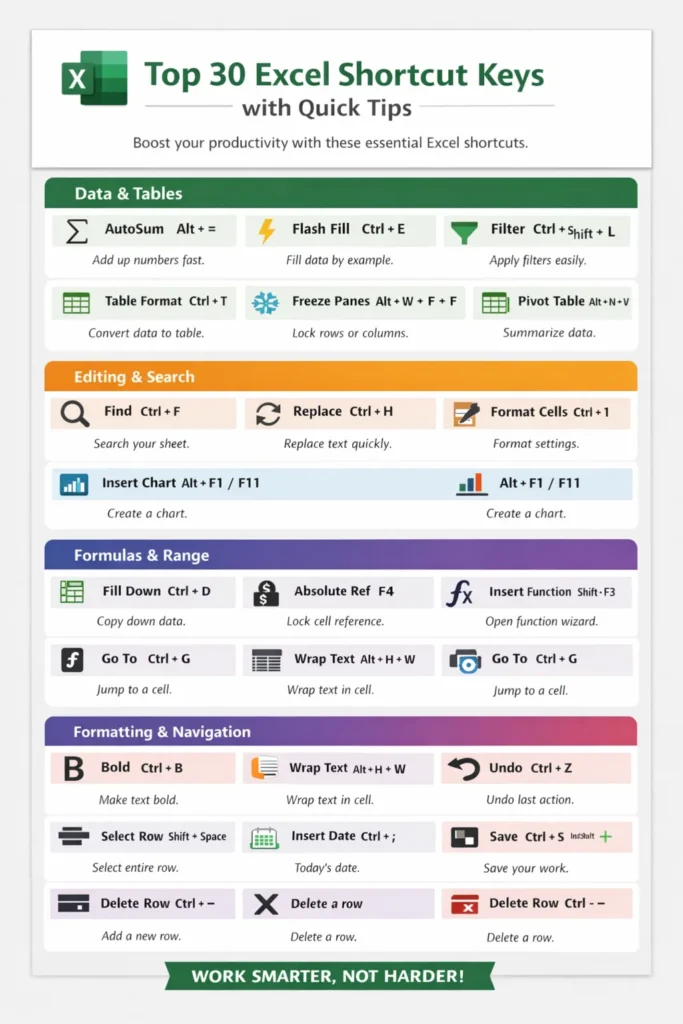
1. AutoSum
Quickly adds selected numbers in a row or column automatically.
Shortcut: Alt + =
2. Flash Fill
Automatically fills data by recognizing patterns like names, dates, or formats.
Shortcut: Ctrl + E
3. Filter
Filters data to show only relevant records based on conditions.
Shortcut: Ctrl + Shift + L
4. Convert to Table
Converts data into a structured table with filtering, styling, and auto formulas.
Shortcut: Ctrl + T
5. Freeze Panes
Keeps selected rows or columns visible while scrolling large data.
Shortcut: Alt + W + F + F
6. Pivot Table
Summarizes large data into meaningful reports for analysis.
Shortcut: Alt + N + V
7. Find
Searches for specific text, numbers, or formulas in a worksheet.
Shortcut: Ctrl + F
8. Replace
Replaces text or values in bulk, saving manual work.
Shortcut: Ctrl + H
9. Format Cells
Opens all formatting options like number, font, border, and alignment.
Shortcut: Ctrl + 1
10. Insert Chart
Creates a chart instantly from selected data.
Shortcut: Alt + F1 (same sheet) | F11 (new sheet)
11. Fill Down
Copies data or formulas from the top cell to cells below.
Shortcut: Ctrl + D
12. Fill Right
Copies content or formulas horizontally to the right.
Shortcut: Ctrl + R
13. Absolute Cell Reference
Locks row or column references in formulas using $.
Shortcut: F4
14. Insert Function
Helps insert Excel functions with guided arguments.
Shortcut: Shift + F3
15. Wrap Text
Displays long text neatly within a cell on multiple lines.
Shortcut: Alt + H + W
16. Select Entire Column
Selects the full column of the active cell instantly.
Shortcut: Ctrl + Space
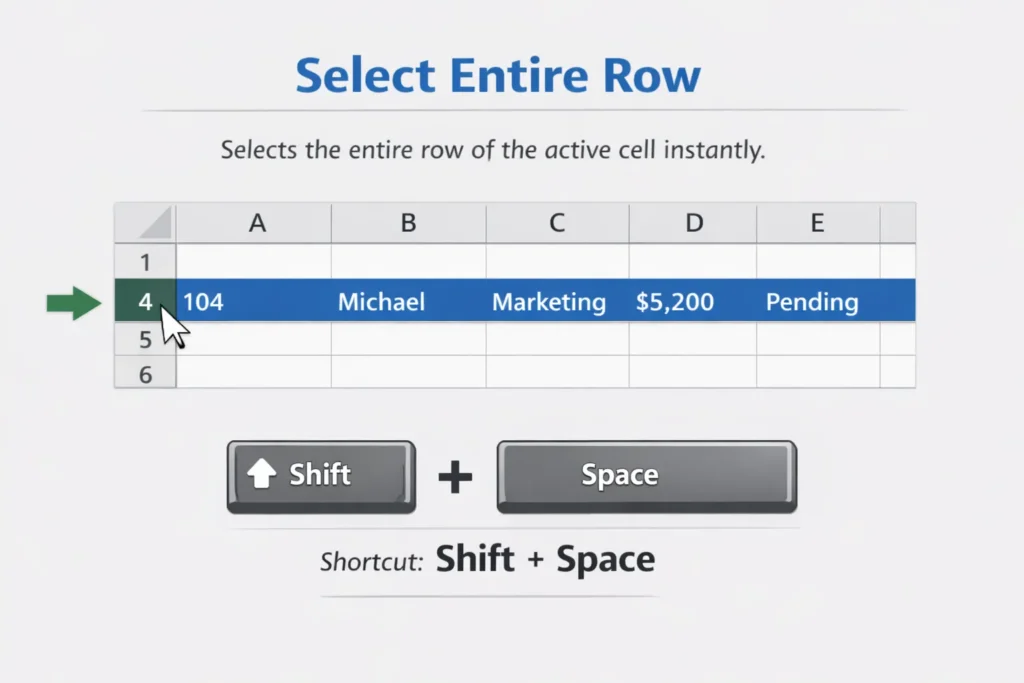
17. Select Entire Row
Selects the entire row of the active cell.
Shortcut: Shift + Space
18. Go To
Jumps quickly to a specific cell, range, or named area.
Shortcut: Ctrl + G
19. Show/Hide Formulas
Displays formulas instead of values for easy checking.
Shortcut: Ctrl + `
20. New Line in Same Cell
Moves text to a new line within the same cell.
Shortcut: Alt + Enter
21. Insert Current Date
Inserts today’s date into the selected cell.
Shortcut: Ctrl + ;
22. Insert Current Time
Inserts the current time instantly.
Shortcut: Ctrl + Shift + ;
23. Bold Text
Makes selected text bold for emphasis.
Shortcut: Ctrl + B
24. Italic Text
Italicizes selected text.
Shortcut: Ctrl + I
25. Underline Text
Underlines selected text or numbers.
Shortcut: Ctrl + U
26. Undo
Reverses the last action performed.
Shortcut: Ctrl + Z
27. Redo
Restores the last undone action.
Shortcut: Ctrl + Y
28. Save Workbook
Saves current work to prevent data loss.
Shortcut: Ctrl + S
29. Insert Row / Column
Adds a new row or column quickly.
Shortcut: Ctrl + Shift + +
30. Delete Row / Column
Deletes selected rows or columns instantly.
Shortcut: Ctrl + –
